> ## Documentation Index
> Fetch the complete documentation index at: https://docs.decisional.com/llms.txt
> Use this file to discover all available pages before exploring further.
# Outputs
> Find, preview, and download files created by agent runs
## Overview
Outputs are files and artifacts created by agent runs. Examples include a generated PDF, spreadsheet, presentation, image, or exported report.
 ## Browse outputs
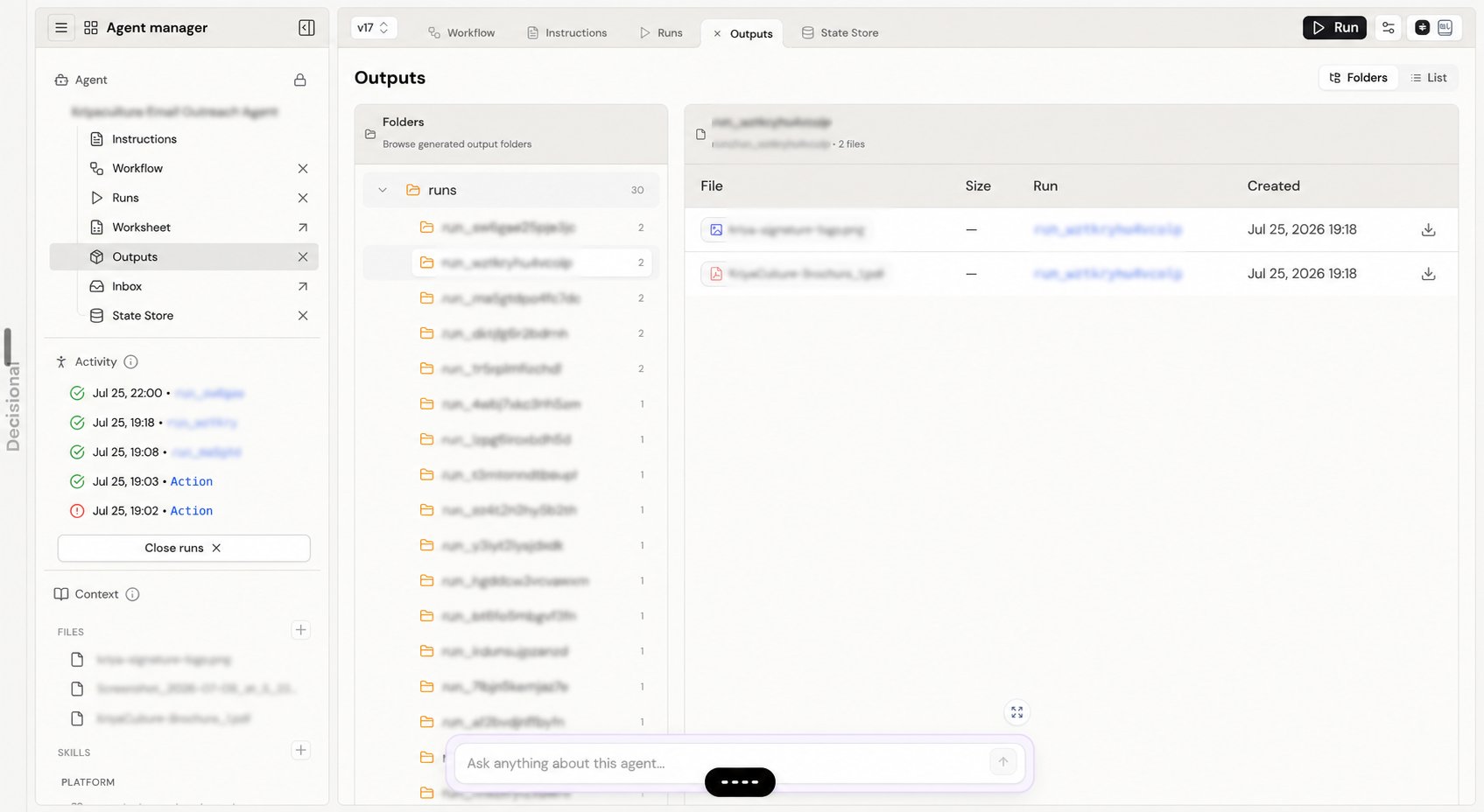
The **Folders** view groups files by their virtual path, which commonly includes the run that created them. Select a folder to see its files, size, run, and creation time. Use **List** to scan all outputs in one table.
## Preview and download files
Click a file to preview it. Spreadsheet files open in a workspace tab, while supported documents open in the document preview. Use the download button when you need a local copy. The run link helps you trace an artifact back to the execution that produced it.
An output is a deliverable, not memory. Saving a file does not replace State Store when the next run needs a reliable de-duplication marker, counter, cursor, or status value.
## Related docs
Learn where agents keep small pieces of durable operational memory.
Trace an output back to the run that created it.
## Browse outputs
The **Folders** view groups files by their virtual path, which commonly includes the run that created them. Select a folder to see its files, size, run, and creation time. Use **List** to scan all outputs in one table.
## Preview and download files
Click a file to preview it. Spreadsheet files open in a workspace tab, while supported documents open in the document preview. Use the download button when you need a local copy. The run link helps you trace an artifact back to the execution that produced it.
An output is a deliverable, not memory. Saving a file does not replace State Store when the next run needs a reliable de-duplication marker, counter, cursor, or status value.
## Related docs
Learn where agents keep small pieces of durable operational memory.
Trace an output back to the run that created it.