

What Is a Workflow?
A workflow is the step-by-step plan your agent follows to complete a task. When you describe what you want and hit Build, Decisional turns it into a sequence of steps that run one after another. Each step is a node. Each node is connected to the next step by an edge, which shows what happens next.Purpose of the Workflow Graph
The workflow graph turns the agent’s instructions into a plan you can see and inspect. It helps you understand what the agent will do before it runs and what happened after a run finishes. Use the graph to:- Follow the order of steps from the trigger to the final action
- See how information moves from one step to the next
- Tell which steps use fixed code and which steps use AI
- Find where the workflow needs approval or is waiting for a person
- Identify the step that failed and inspect what it received and returned
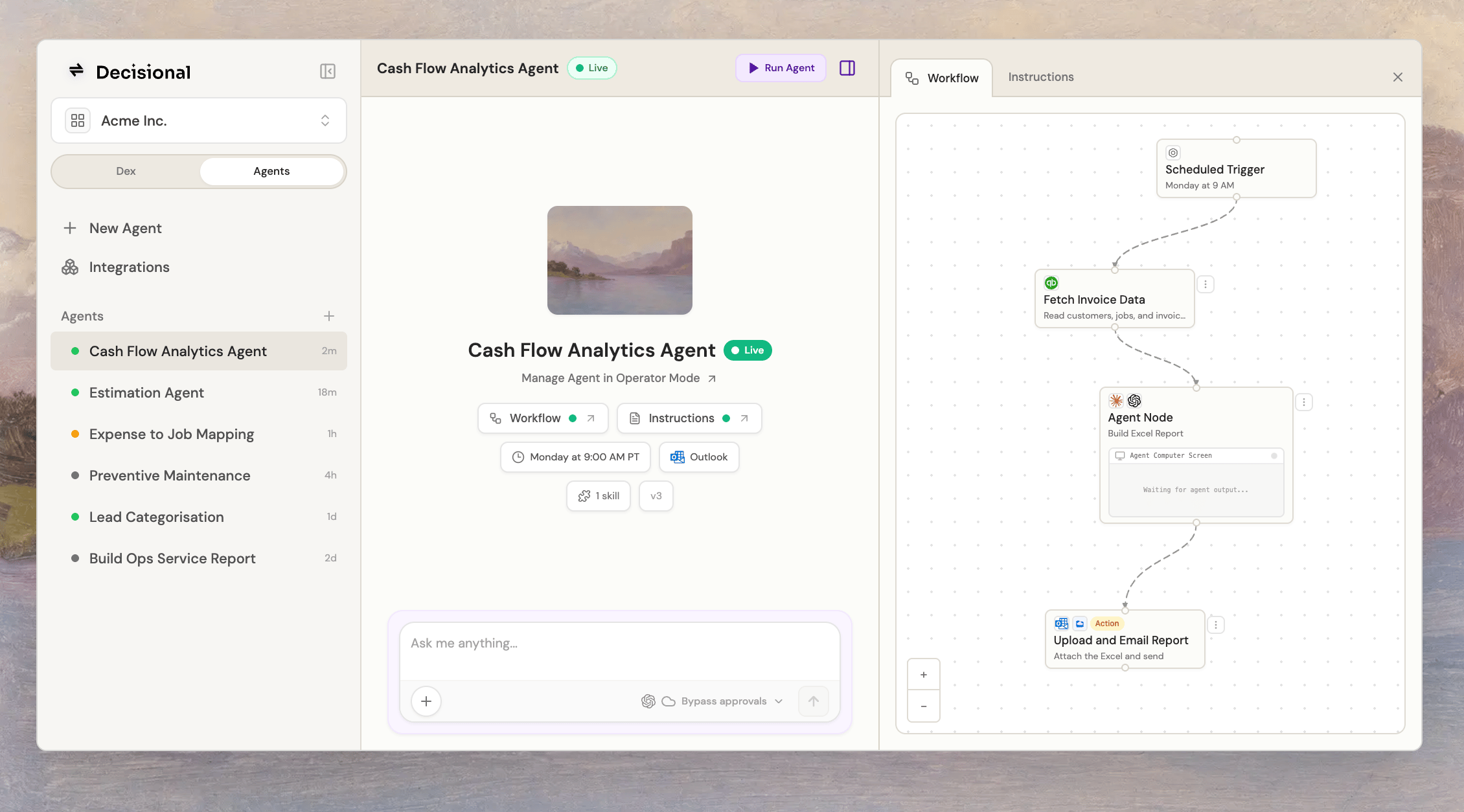
The workflow is the connected sequence of nodes shown in the panel on the right.
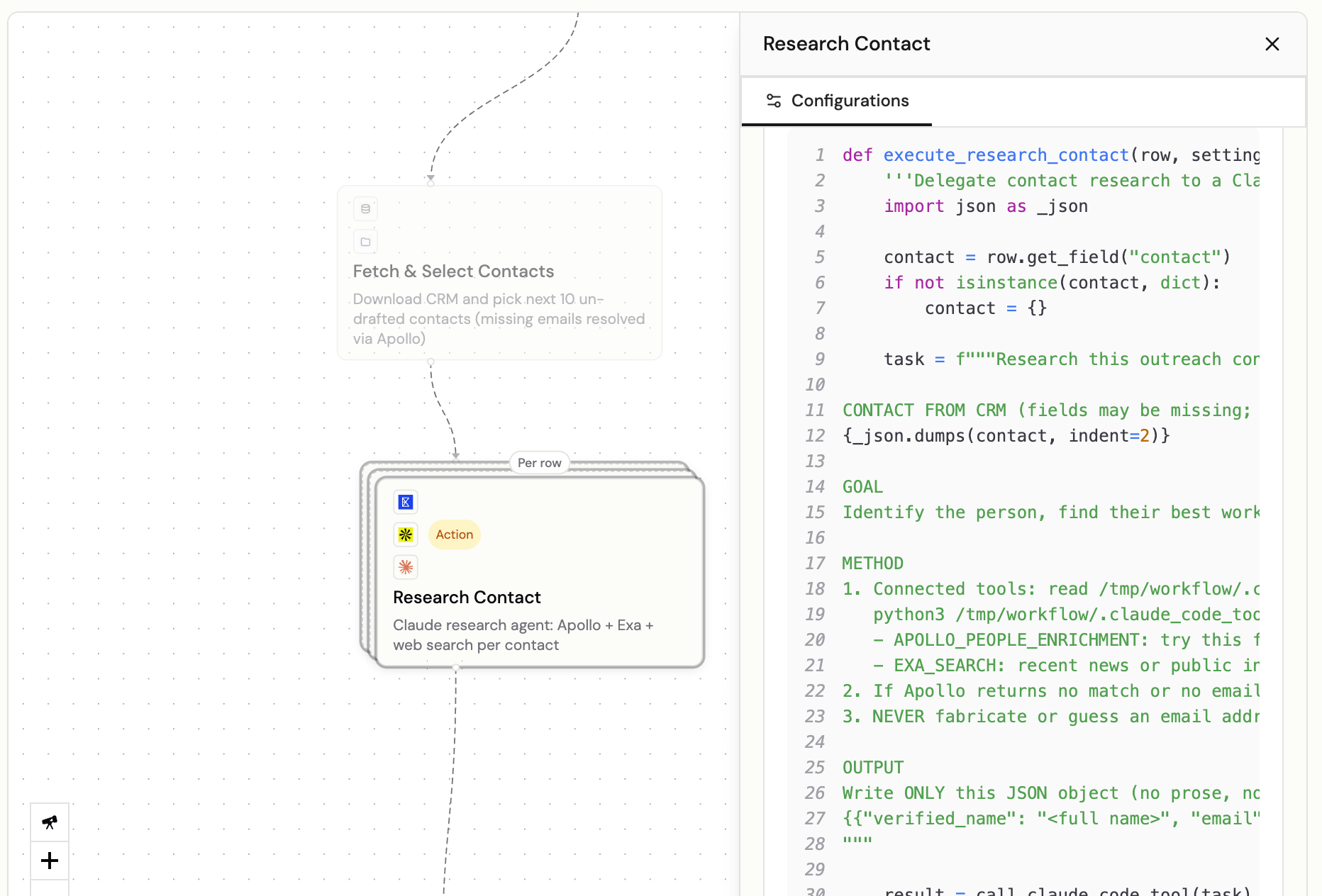
A code-backed step with its configuration open.
Nodes
Nodes are the building blocks of a workflow. Each node owns one piece of work: starting the run, reading or transforming data, calling an app, asking for a decision, or generating output. When an agent runs, Decisional executes the nodes in order and passes data from one step to the next through the workflow edges. This keeps the agent’s process inspectable: you can see what each step did, what it received, what it produced, and where the run paused or failed.Node Types
Workflows are made up of different node types, each handling a specific kind of work:Trigger Node
The starting point of every workflow. Defines how the agent gets activated — manual run, schedule, webhook, or an event from a connected app.
Task Node
The core workhorse. Reads data, processes information, makes decisions, and produces output. Most of your workflow logic lives here.
Action Node
Takes an action in an external app or system of record. Action nodes are flagged during testing so you can approve before they execute.
Gate Node
Pauses the workflow for a human decision. Use gates before final sends, publishes, record updates, or other steps that require sign-off.
AI Node
Runs a bounded AI model step to classify, summarize, extract, transform, or generate content from inputs passed through the workflow.
Agent Node
Gives an open-ended step to an AI agent that can use tools, make decisions, and work through several steps. Agent Nodes include the Dex Node.
Viewing Your Workflow
After your agent builds, click the Workflow tab to see the visual graph. Each node is displayed with:- Its name and a short description of what it does
- Its type (trigger, task, action, AI, agent, gate)
- Connections showing the flow of data between steps
Inspect a Run on the Graph
Select a run to see what happened on the workflow graph. The graph changes from a plan of what should happen into a record of what happened during that run.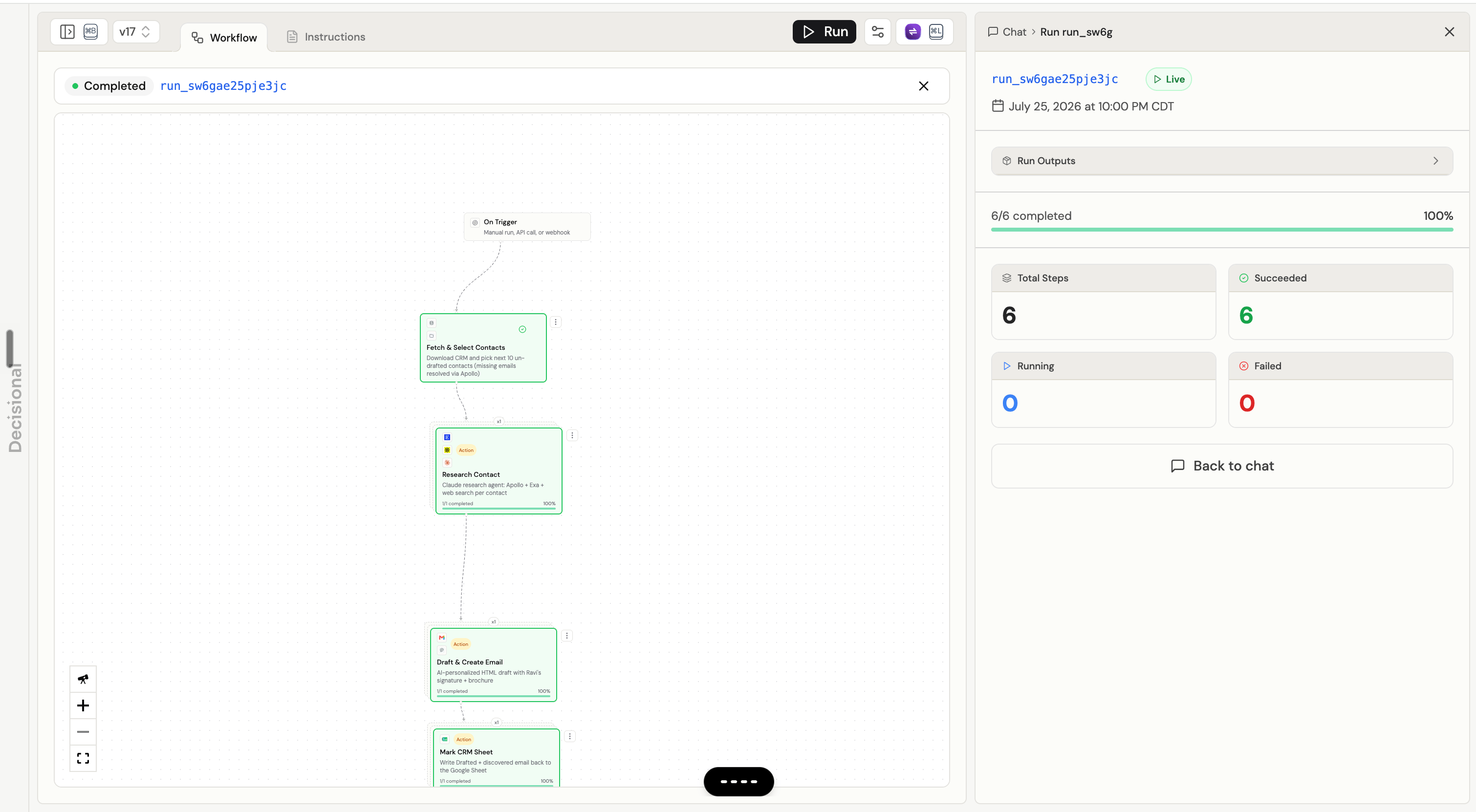
A completed run selected on the workflow graph, with the run summary open on the right.
- Whether the node succeeded, failed, or is still running
- When it started, when it finished, and how long it took
- The information the node received and the result it returned
- Live logs, error details, approval information, and retries when available
Agent Nodes
An Agent Node gives one part of a workflow to an AI agent. Unlike a fixed step, the agent can decide which actions are needed to reach the goal. This is useful for:- Working with tools — read files, use connected apps, compare results, and decide what to do next
- Computer work — work with files, images, documents, and other information in a managed environment
- Multi-step tasks — break a large task into smaller actions and work through them
- Problem solving — investigate why something failed and try the next best fix
Dex Node: Agentic Follow Up
A Dex Node is designed for Agentic Follow Up. This means Dex can take an action, wait for a reply or a later time, and continue the same work without making you restart it. You give Dex a goal in plain English and choose which connected tools it can use. Dex works through the goal, keeps the same context across turns, and reports back when the work is complete.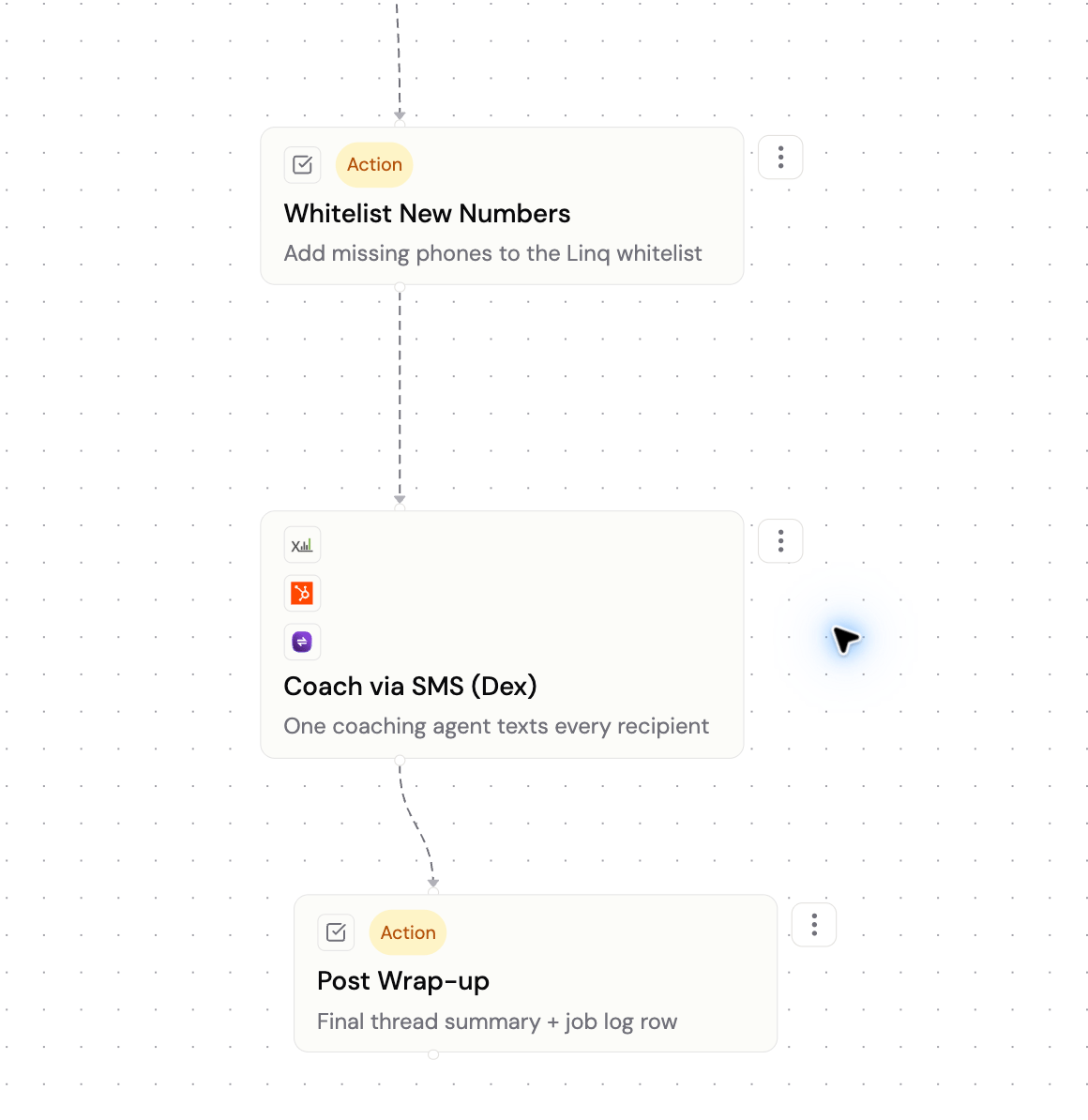
What a Dex Node Can Do
- Use connected apps — work with the exact email, Slack, CRM, SMS, or other tools assigned to the node
- Take several turns — keep working when the goal needs more than one action or decision
- Wait until later — pause until a time Dex chooses, then continue the same task with its earlier context
- Wait for a reply — send a supported email or Slack message, pause the workflow, and continue when someone replies
- Return a result — pass a summary and useful output to the next workflow step
What You See During a Run
Example: Ask Dex to email a new customer about unfinished onboarding. If the customer does not reply, Dex can follow up two days later. When the reply arrives, Dex reads it, takes the next appropriate action, and completes the node only when the follow-up is finished.
AI Nodes
AI Nodes run a bounded model step inside the workflow. Use an AI Node when the job is clear, the required inputs are already available, and the step does not need an agent harness or tool use. This is useful for:- Classification — categorize emails, tickets, or documents into types
- Summarization — condense long content into key points
- Extraction — pull structured data from unstructured text
- Generation — write responses, draft emails, or create content
Gate Nodes
Gate Nodes are explicit human approval checkpoints in a workflow. They do not run code or produce new output fields. Instead, they pause the workflow before downstream nodes run, then pass the same input data forward after the gate is approved. Use a Gate Node when the workflow needs a named person or group to make a decision before continuing, such as manager approval before sending a customer email, finance approval before updating a record, or legal approval before publishing generated content. Gate Nodes are different from approval flags on Action Nodes:Configure What Approvers Review
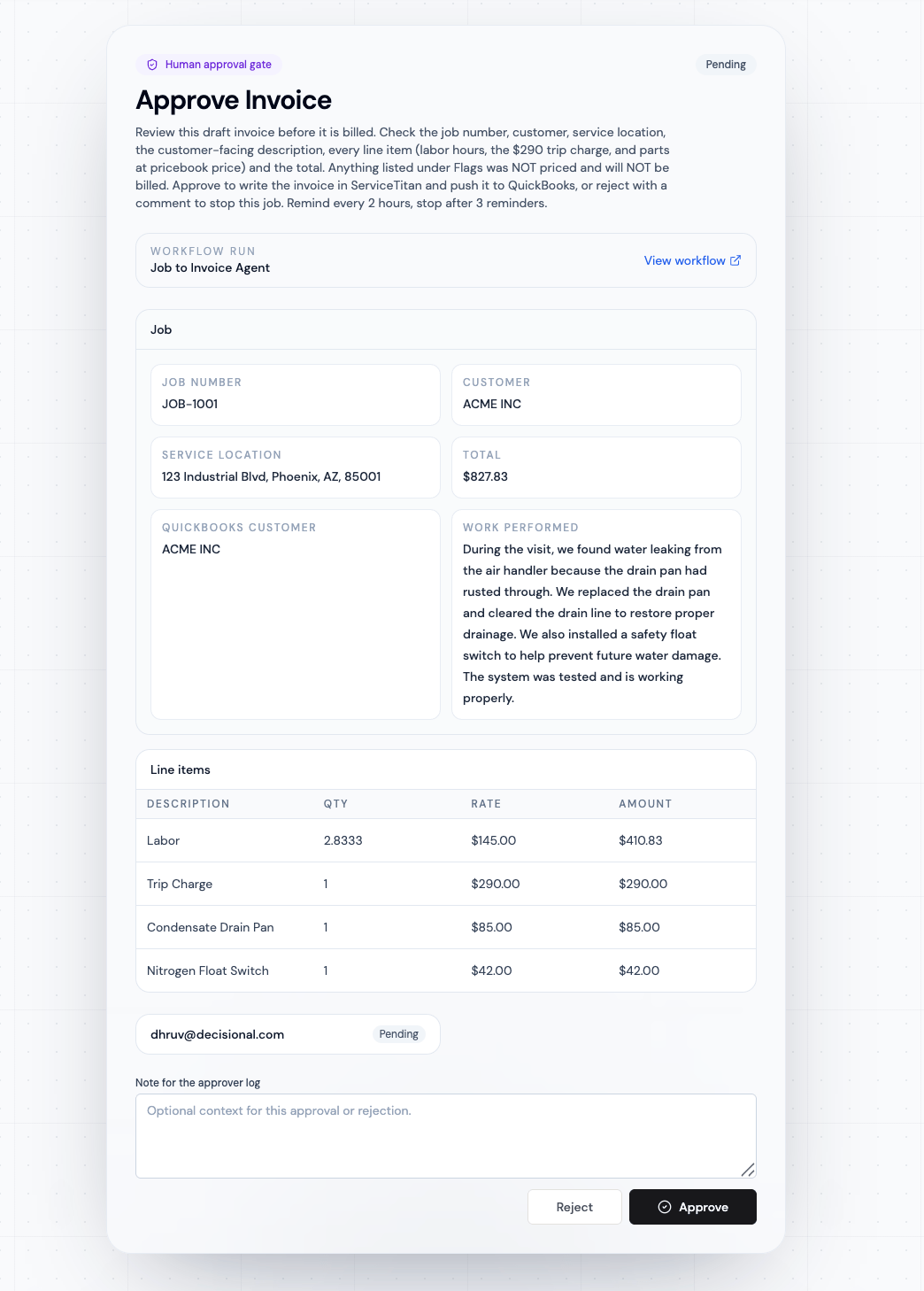
Ask Dex to configure the Gate Node with the information a person needs to make the decision. It can use values created by the trigger or any earlier step in the workflow. You can organize the review page in a few simple ways:
For each item, you can choose a clear label, the value to show, and how it should look. For example, a number can be shown as currency, a date can be made easier to read, and a missing value can use a fallback such as “Not provided.” Only the fields configured for review are saved in the approval request.
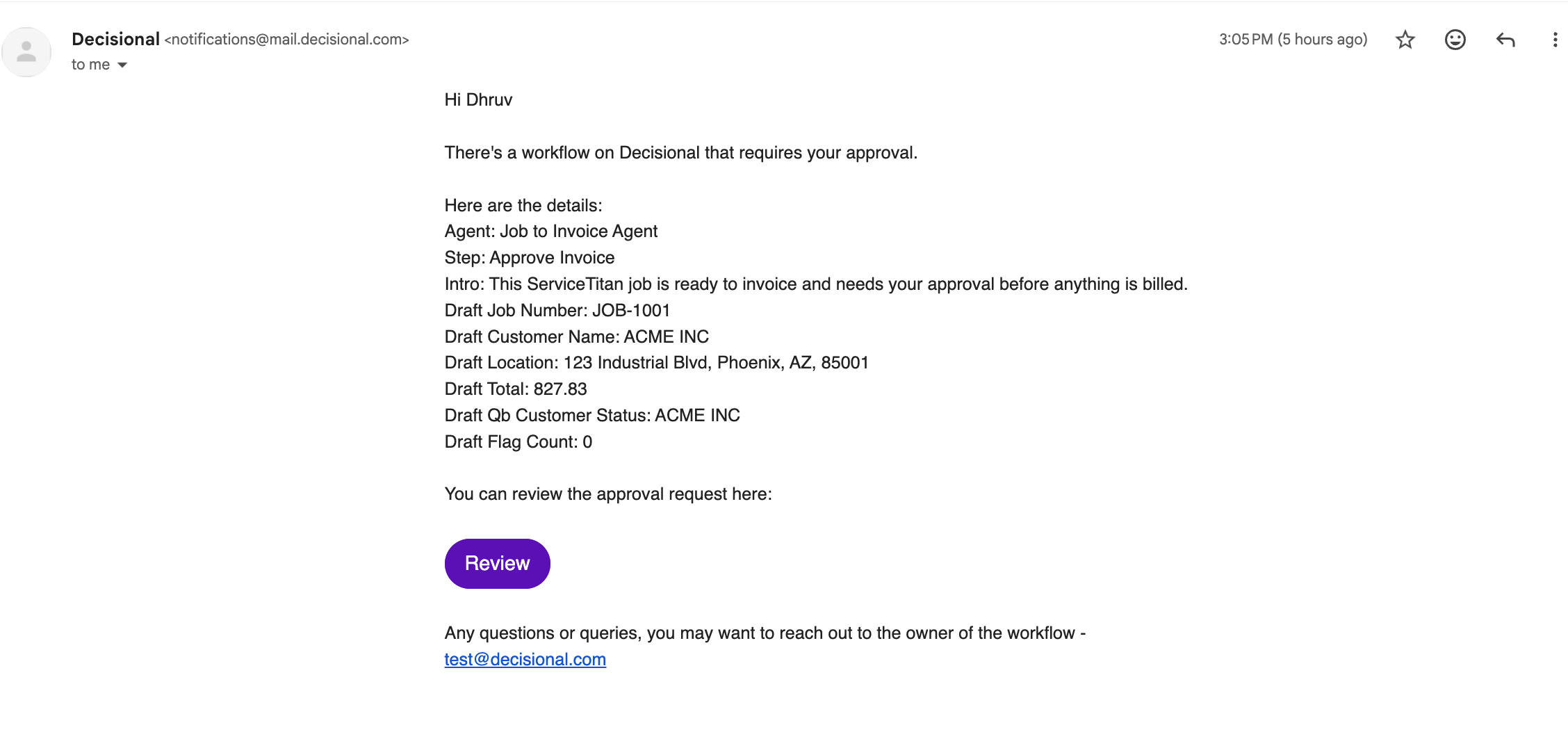
You can also configure the approval email separately. Add a short introduction and select a few summary fields so the approver understands the request before opening it. The Review button opens the full approval page.
Gate Owners
Each Gate Node has one or more owners. Owners are the only people who can approve or reject that gate. The gate can be configured in two modes:
Gate settings can also include approval instructions, which are shown to approvers with the request, and shareable public links so external approvers can review without signing in.
During build runs, Gate Nodes are skipped for observability. During test and live runs, they pause execution until the approval rule is satisfied or the gate is rejected.
How Workflows Get Built
You do not need to design workflows manually. Here’s the process:- You describe what you want in plain English
- Decisional generates the workflow — choosing node types, wiring them together, and writing the logic
- You review the workflow in the visual viewer
- You can modify the workflow in Operator Mode
Action Node Approvals
Action nodes are special because they affect external systems or records. During testing and configured review flows:- Your agent pauses before executing each action node
- You see a preview of what the action will do
- You can approve or reject each action individually
Approvals and Policy
Learn how Ask approvals, Bypass approvals, global settings, and tool policies work.