

Overview
Approvals are Decisional’s human-in-the-loop control system. They let an agent prepare work, show the relevant context, and pause before a sensitive action proceeds. Approvals can appear during automated runs, Chat Mode write actions, Run Mode flows, and workflow gates. They are especially useful when an agent is about to send information, update a system, make a decision with business impact, or continue past a manual review point.Where approvals appear
Action approvals
The agent pauses before an action that writes, sends, updates, creates, or deletes information.
Gate nodes
A workflow can pause at an explicit review step before moving to the next node.
Chat write approvals
If an agent wants to take a write action during chat, it can ask for approval before executing.
Public approval links
Stakeholders can review context and approve or reject without needing the full builder interface.
What an approval contains
An approval should give the reviewer enough context to make a decision without digging through logs. Approvals typically include:- The action the agent wants to take
- The relevant run, node, or chat context
- Inputs and generated outputs
- Files or records involved in the decision
- Approve and reject controls
- Any notes the reviewer adds before continuing
Dex approval requests
See how Dex asks for approval in Slack before creating a Linear issue.
Approval layers
Approval behavior comes from multiple layers working together.
Use these layers together. For example, a low-risk reporting agent might bypass eligible approval prompts, while a finance agent can keep write tools on Needs approval and add gate nodes for final review.
Workspace default and runner picker
The workspace default is the fallback approval mode. It is used only when the runner is set to Default.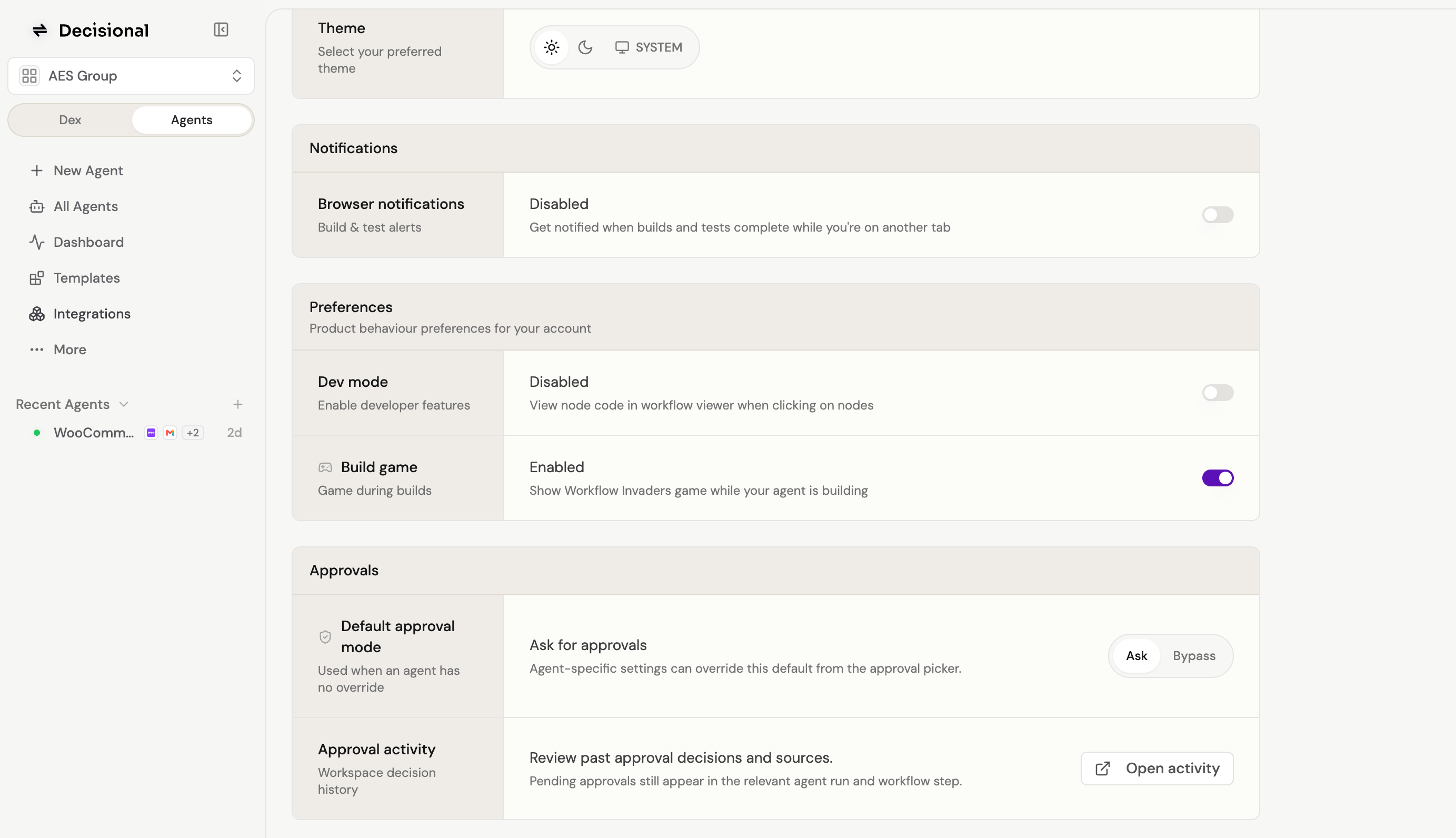
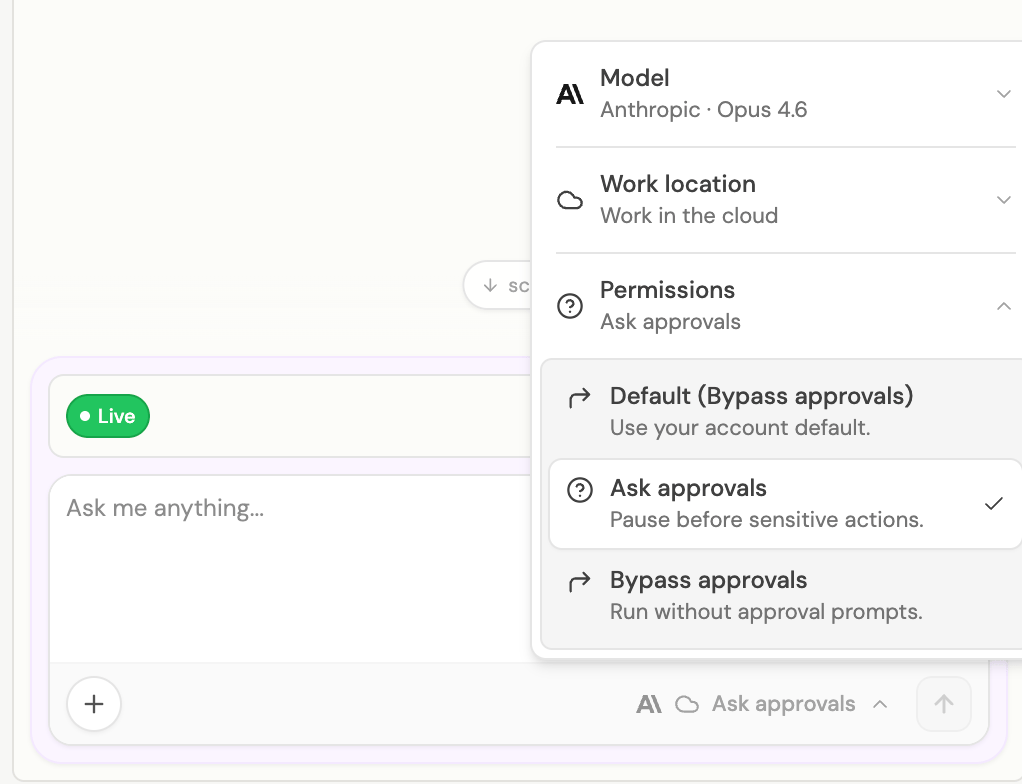
Test runs are the best place to keep Ask approvals on while you review behavior. Live runs only pause for approval when the effective runner setting is Ask approvals, when tool policy requires approval, or when the workflow reaches an explicit gate.
Ask approvals
Ask approvals means the agent pauses before eligible sensitive actions. A reviewer sees what the agent wants to do and chooses whether to approve or reject. Use Ask approvals when:- The agent is new or still being tuned
- Outputs leave your company or affect customers
- The workflow changes records in important systems
- A human needs accountability for the final decision
- You want an audit trail of manual sign-off
Bypass approvals
Bypass approvals means eligible approval prompts are approved automatically so the run can continue without waiting for a human click. Bypass approvals are useful for stable, low-risk workflows where the agent’s behavior is well understood. Bypass does not turn blocked tools into allowed tools. A blocked action remains blocked, and tool policy should still be used for actions that must never run. Use bypass carefully:- Start new agents with Ask approvals until the workflow is predictable
- Keep destructive or externally visible actions behind tool policy or explicit review
- Review run history after enabling bypass
- Prefer bypass for repeatable internal tasks with clear inputs and low blast radius
Settings and workspace policy
The Settings page contains the workspace approval default that runners use when they are set to Default. From Settings, admins can manage:- The default approval mode used when a runner has no override
- Toolkit defaults for read tools and write tools
- Per-tool overrides for actions that should always be allowed, require approval, or be blocked
- Team access and workspace configuration that affects who can approve or operate agents
Recommended rollout
1
Start with Ask approvals
Keep new agents in Ask approvals while you test the workflow, review outputs, and tune instructions.
2
Set tool policies
In the toolkit tools view, allow safe read actions, require approval for sensitive write actions, and block tools the workspace should not use.
3
Add gates where judgment matters
Put explicit workflow gates before final send, publish, payment, record update, or escalation steps.
4
Bypass only the predictable work
Once a workflow is stable, enable Bypass approvals for agents where waiting for human review is no longer necessary.
5
Monitor runs
Review run history, failures, and approval outcomes to keep the policy aligned with the workflow’s risk.
Related docs
Agent Modes
See how approvals behave across Chat Mode, Operator Mode, and Run Mode.
Workflows
Learn where action nodes and gate nodes fit inside a workflow.